TerminalUI Component
The TerminalUI component provides a graphical interface for monitoring and controlling ngspice simulations within eSim. It features a progress bar, a simulation log console, and buttons for toggling light/dark mode, cancelling, and re-running simulations.
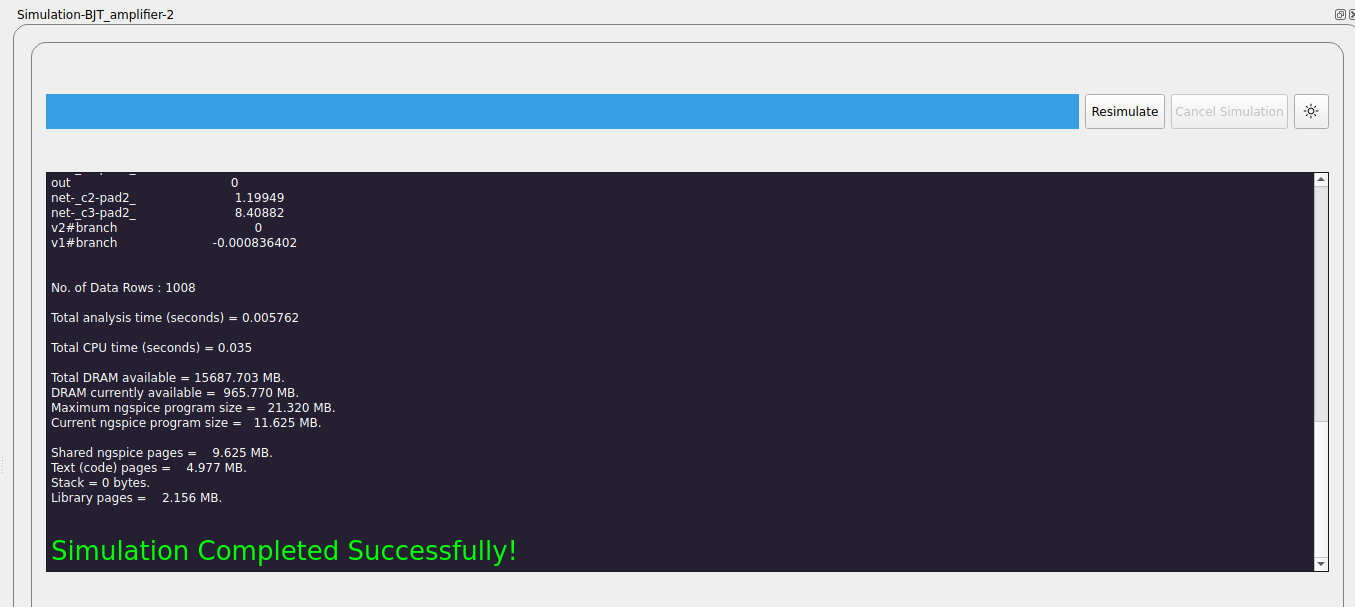
Features: - Displays real-time simulation logs and progress. - Allows users to cancel or redo simulations. - Supports toggling between light and dark modes for better visibility. - Integrates with ngspice using PyQt5’s QProcess for process management.
Usage: The TerminalUI is automatically launched during simulation runs. Users can interact with the simulation process using the provided buttons and view logs in the console area.
Note
Source : src/frontEnd/TerminalUi.py
- class frontEnd.TerminalUi.TerminalUi(*args: Any, **kwargs: Any)
This is a class that represents the GUI required to provide details regarding the ngspice simulation. This GUI consists of a progress bar, a console window which displays the log of the simulation and button required for re-simulation and cancellation of the simulation
- cancelSimulation()
This function cancels the ongoing ngspice simulation.
- changeColor()
Toggles the
Ui_Formconsole between dark mode and light mode
- redoSimulation()
This function reruns the ngspice simulation